squaredimage.com logo
squaredimage.com
EN
  • العربية (Arabic)
  • Deutsch (German)
  • Español (Spanish)
  • Français (French)
  • Bahasa (Indonesian)
  • 日本語 (Japanese)
  • Português (Portuguese)
  • Home
  • BlurFrame
  • SquareCrop

Square Crop 1:1

Easily Crop images to a perfect square online. Upload image, adjust position by zoom or drag, and download a clean 1:1 square image instantly, 100% free.

Loading

Square Crop Image

No image loaded
0

Square Crop Image Tool

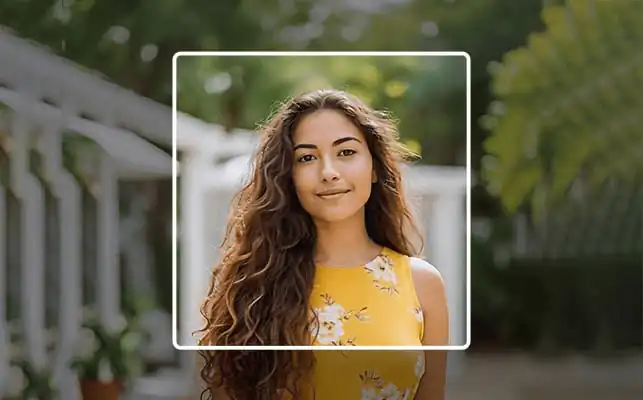
An online advanced Square Crop Image Tool that crops an image into a perfect 1:1 square format with precision and control. The tool helps you create a perfect square image ideal for profile pictures, social media posts, thumbnails, and product photos. The preview mode lets you see exactly how the cropped image will look before downloading.
square image online

Steps to Crop an Image to a Perfect Square Online

  1. Upload or drag and drop your image directly into the browser-based square crop tool.
  2. Drag the image to reposition it if necessary.
  3. Use the zoom slider to focus on the exact area you want.
  4. Add border and select your preferred color and thickness.
  5. Enable preview mode to see the final square crop photo.
  6. Select output size and format (JPG, PNG, or WebP).
  7. Download your perfectly cropped square image instantly.

Important: For a smooth cropping experience, upload one image at a time for larger images, and 4-5 images at a time for smaller images.

When Should You Crop an Image to a Square?

You should use a square crop image when:

  • Creating profile pictures
  • Posting on social media
  • Designing thumbnails
  • Preparing product images
  • Maintaining uniform gallery layouts

A square image format ensures your content appears centered and professional without awkward cropping by external platforms.

Features of Our Square Image Cropper

  1. 100% privacy protected: Fully browser-based image processing.
  2. Fast and Easy to Use: Works smoothly compared to other online tools.
  3. High Quality Output: Maintains 100% original image quality.
  4. Flexible Uploads: Supports both single and multiple image uploads.
  5. Preview image: Preview the cropped image before you download.

Tips to Get the Best Square Crop Result

  • Keep the main subject centered within the square frame.
  • Use zoom carefully to avoid cutting important edges.
  • Turn on preview mode to see the exact cropped output.
  • Choose the correct output size for your platform.
  • Add a border if you want extra spacing or design enhancement.

Using a reliable square image cropper helps maintain image clarity while adjusting position and scale smoothly.

Common Mistakes to Avoid When Cropping to Square Format

  • Zooming too much and reducing image quality
  • Cutting important parts of the subject
  • Choosing output size too small for your intended use
  • Ignoring preview before download

A good online square crop tool makes it easy to adjust and correct these issues before saving the final image.

FAQs - Square Crop Image Online

Why Use a 1:1 Square Crop?

A 1:1 square crop keeps your image balanced and centered. When you crop an image to a square, it displays consistently across platforms that prefer square formats like Facebook and Instagram, making it ideal for profile pictures, posts, and thumbnails.

What are supported image formats to crop?

The tool supports all common image formats. You can upload JPG, PNG, WebP, GIF, and other widely used image types to crop.

Are my images uploaded to a server?

No. This square crop tool works entirely in your browser. Your images are processed client-side and never uploaded to any server, ensuring full privacy and security.

Can I upload multiple images at once?

Yes, you can upload multiple images for square cropping. For smoother performance, smaller image sizes are recommended when processing several images together in the browser.

Can I add a border to my square cropped image?

Yes. The tool lets you enable a border, adjust its thickness, and choose a custom color. This helps create clean spacing or styled square images for social media and profile pictures.

Can I choose a custom square size before downloading?

Yes. You can select from preset square sizes or enter a custom dimension to crop your image to the exact 1:1 output size you need before downloading.

Is the tool free to use?

Yes, the square crop tool is completely free and allows unlimited use without any signup or account.

© 2025-26 squaredimage.com™ All Rights Reserved

About Us | Privacy Policy | Terms